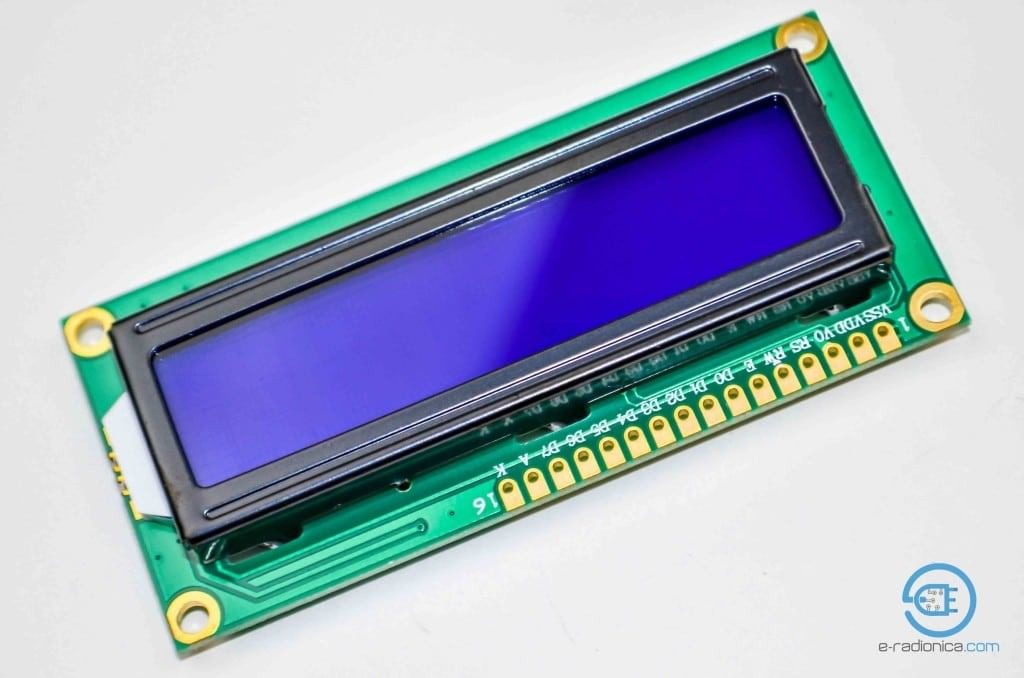
16×2 Character Display for Arduino and Microcontroller Projects
Introduction
The LCD1602 display module is a classic parallel interface character LCD featuring a 16×2 character display with blue backlight. These displays use the HD44780 controller or compatible chips and are widely supported in the maker community.
Key Features
🔵 Blue Backlight
High-contrast display with adjustable blue backlight
🔢 Character Grid
16 columns × 2 rows (32 characters total)
⚙️ Parallel Interface
4-bit or 8-bit parallel communication
💾 Custom Characters
Supports 8 user-defined characters
Technical Specifications
Display Type
Character LCD
Display Format
16 columns × 2 rows
Controller
HD44780 or compatible
Interface
Parallel (4-bit or 8-bit)
Operating Voltage
5V (typically)
Backlight
Blue with adjustable brightness
Pin Configuration
Pin
Symbol
Description
Arduino Connection
1
VSS
Ground
GND
2
VDD
Power (+5V)
5V
3
VO
Contrast adjustment
Potentiometer
4
RS
Register Select
Digital Pin
5
RW
Read/Write
GND (for write only)
6
E
Enable
Digital Pin
7-14
DB0-DB7
Data Bus
Digital Pins (4-bit: DB4-DB7)
15
A
Backlight Anode (+)
5V via resistor
16
K
Backlight Cathode (-)
GND
Note: For 4-bit mode, only DB4-DB7 need to be connected
Connect pin 3 (VO) to a 10K potentiometer between VCC and GND for contrast control.
Arduino Library Setup
Install the LiquidCrystal library (included with Arduino IDE)
Include the library in your sketch:
#include <LiquidCrystal.h>
Initialize the display with your pin configuration:
// Initialize with (RS, E, D4, D5, D6, D7)
LiquidCrystal lcd(12, 11, 5, 4, 3, 2);
Basic Display Example
#include <LiquidCrystal.h>

// Initialize the library with pin numbers
LiquidCrystal lcd(12, 11, 5, 4, 3, 2);

void setup() {
  // Set up the LCD's number of columns and rows
  lcd.begin(16, 2);

  // Print a message to the LCD
  lcd.print("Hello, World!");
}

void loop() {
  // Set the cursor to column 0, line 1
  lcd.setCursor(0, 1);

  // Print the number of seconds since reset
  lcd.print(millis() / 1000);
}